I have been working on a new application in the past few weeks and I am happy to announce that new app, MP2 Calculator, is now available on the Play Store and online.
MP2 Calculator is an app for computing how much your MP2 (Modified Pag-IBIG 2) savings may grow based on actual dividend rates. The MP2 Savings is a special voluntary savings facility with a 5-year maturity, designed for active Pag-IBIG Fund members who wish to save more and earn even higher dividends, in addition to their Pag-IBIG Regular Savings.
I have built the MP2 Calculator Android app using Kotlin and Jetpack Compose and the app is now my first to be developed using 100% Jetpack Compose. The web application, meanwhile, was built on top of Sweldong Pinoy.
The second edition of our book, How to Build Android Apps with Kotlin, has now been published. There are additions and updates to the first edition which was published on February 2021.
This book starts with the fundamentals of app development, enabling you to utilize Android Studio and Kotlin to get started with building Android projects. You'll learn how to create apps and run them on virtual devices through guided exercises. Progressing through the chapters, you'll delve into Android's RecyclerView to make the most of lists, images, and maps, and see how to fetch data from a web service.
You'll also get to grips with testing, learning how to keep your architecture clean, understanding how to persist data, and gaining basic knowledge of the dependency injection pattern. Finally, you'll see how to publish your apps on the Google Play Store.
You can get your copy of the book on Packt and on Amazon.
In the past few months, I have been updating my apps and decided to work on a new application. The app, called Toll Pinas, is now available on the Google Play Store.
Toll Pinas is an app that you can use to find out the toll fee you need to pay for expressways in the Philippines. Toll data were taken from the Toll Regulatory Board website. The app includes toll data for the following expressways:
Apolinario Mabini Superhighway (formerly known as STAR Tollway)
Cavite-Laguna Expressway (CALAX)
Manila-Cavite Expressway (CAVITEX)
Metro Manila Skyway
NAIA Expressway (NAIAX)
North Luzon Expressway (NLEX)
Subic-Clark-Tarlac Expressway (SCTEX)
South Luzon Expressway (SLEX)
Muntinlupa–Cavite Expressway (MCX)
Tarlac-Pangasinan-La Union Expressway (TPLEX)
To use the app, you can select the expressway, the entry/exit, and the vehicle class to compute the toll you need to pay. You can also share the output afterwards. Here's a sample video of how the app works.
* We have updated Boto Ko for the 2022 Philippine National and Local Elections and we have started an unofficial survey called Boto Ko Polls for the national positions based on anonymous user inputs. Boto Ko is an application for Philippine elections where you can list, update, and share the candidates you want to vote for.
* Boto Ko was featured in Youth for Truth, a youth-oriented program of the Presidential Communications Operations Office. You can watch the interview which aired live on May 7 on Facebook and on YouTube.
* We have updated Sweldong Pinoy and Budget Pinoy for 2023. The tax deductions will decrease but the contibutions for PhilHealth, SSS, and Pag-IBIG Fund will be higher. Sweldong Pinoy is a salary calculator for Filipinos in computing net pay, withholding taxes and contributions to SSS/GSIS, PhilHealth and PAG-IBIG. Budget Pinoy is a tool for Filipinos in finding out how much their asking salary should be based on their budget.
* I worked on a simple Android app for a client who will be using the app as a demo/prototype for presenting to their potential partners and investors. Most of the things I did involved adding animations and I used MotionLayout for them.
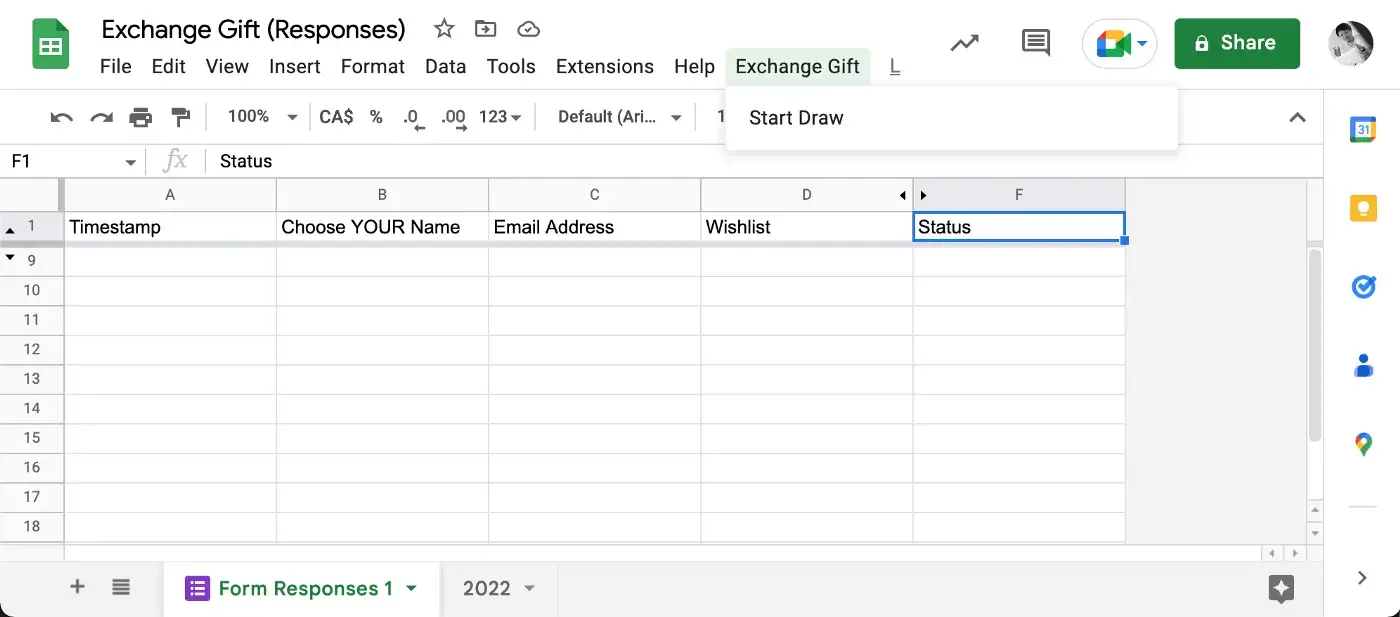
* I developed a simple Exchange Gift Generator using Google Forms/Google Spreadsheets and Apps Script.
Running
* I ran my first half marathon at the BMO Vancouver Marathon 2022. It was the 50th anniversary of the Vancouver Marathon. I ran the 21.1 km run in 2:27:11.
* I ran my second Half Marathon at Great Trek 2022, the 100th anniversary of the event. It took me 2:27:55 to finish the 21.1 km run.
* I ran at least once a month this year with a total distance of 356 km based on Strava, more than a half marathon's distance compared to last year's 327 km.
Travel and Tours
* This year, we visited the Beaty Biodiversity Museum, H.R. MacMillan Space Centre, and BC Sports Hall of Fame and Museum. We also went out of town to Tsawwassen Mills to visit the Stargazer Exhibit.
* Celine's family (and I) went to Squamish (with a day trip to Whistler).
* for the first time, we went outside the province! We went to Ontario and had a tour in Niagara-on-the-Lake and Niagara Falls. The highlight of the trip was the Hornblower Boat Cruise.
* We stayed in Toronto for a few days of vacation and went to CN Tower, Ripley's Aquarium of Canada, Distillery District, Casa Loma, Royal Ontario Museum, and St. Lawrence Market.
Sports
* This year, we watched more games of the Vancouver Whitecaps FC. We watched 12 MLS games in BC Place.
* We watched the Vancouver Whitecaps FC in their Canadian Championship Preliminary Round game vs Valour FC (they won 2-0) and in the Canadian Championship Finals vs Toronto FC. They won 5-3 on penalty shootout (after a 1-1 90 minute game) and got their second Voyageurs Cup.
* We also watched a Vancouver Canucks game for the first time. It was our first time to watch an NHL game in person and was also our first time at Rogers Arena.
* We watched the Canada Women Football Team's National Team Celebration Tour, a friendly game vs Nigeria. They won 2-0!
* We watched the Canadian Mens Football Team during their CONCACAF Nations League match vs Curaçao. There were two other games which we paid for and could have also watched if they had not been cancelled.
Others
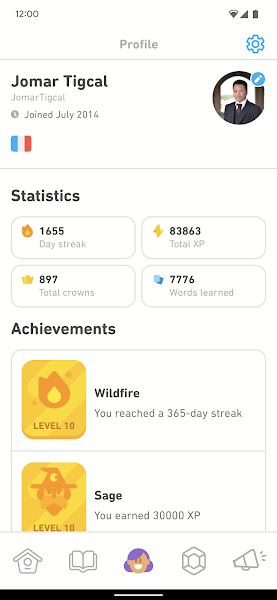
* I continued to use Duolingo to learn French. My stats for 2022 says I'm a top 1% French learner on Duolingo: 66611 total XP, 16993 minutes spent, 3896 words learned, 1989 longest streak. Here is the full year in review (video):
* After a very long time, I finished first in a Diamond League in Duolingo . The Diamond League is the "highest" league and it was always hard to even stay on it. It was also the first time I topped a Duolingo leaderboard so I got both the Winner and Legendary achievements.
* We were invited to the St. Paul's Lights of Hope Donor Celebration before the lighting ceremony. After the program, we went outside for the lighting ceremony.
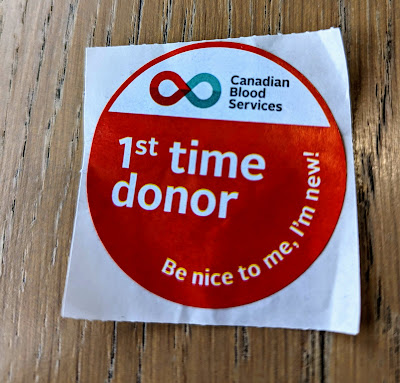
* I donated blood twice in 2022: first in June and the second in December.
The new book I have written, Simplifying Android Development with Coroutines and Flows, has now been published. This is my first book after last year's How to Build Android Apps with Kotlin that I co-authored.
The book begins by showing you how to create and handle Kotlin Coroutines on Android. You'll explore asynchronous programming in Kotlin, and understand how to test Kotlin Coroutines. Next, you'll learn about Kotlin Flows on Android, and have a closer look at using Kotlin Flows by getting to grips with handling Flow cancellations and exceptions and testing the Flows.
You can check out the book on Packt and on Amazon.
The year 2021 has been another challenging year. The COVID-19 pandemic is still ongoing. We're still working from home. Here are my personal highlights for this year:
Vaccinated
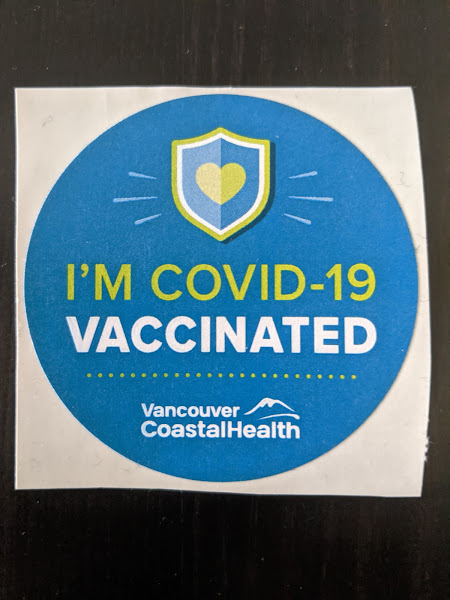
Celine and I (and both our family) have been vaccinated and we're still safe and healthy.
First Book
The book I have co-authored, How to Build Android Apps with Kotlin, has finally beeen published last February. If you want to learn Android app development with Kotlin, you can check out our book on Packt and on Amazon.
I did my first 21k on 2021! It was a virtual half-marathon at the BMO Vancouver Marathon 2021. I finished the run in 2:45:26. I'm looking forward to my first in-person half-marathon next year.
Blood Donation
It has been one of my goals since 2011. There has been a lot of factors in the past that made me unable to do it. I was finally able to do it this time before the year ended.
Montly Run
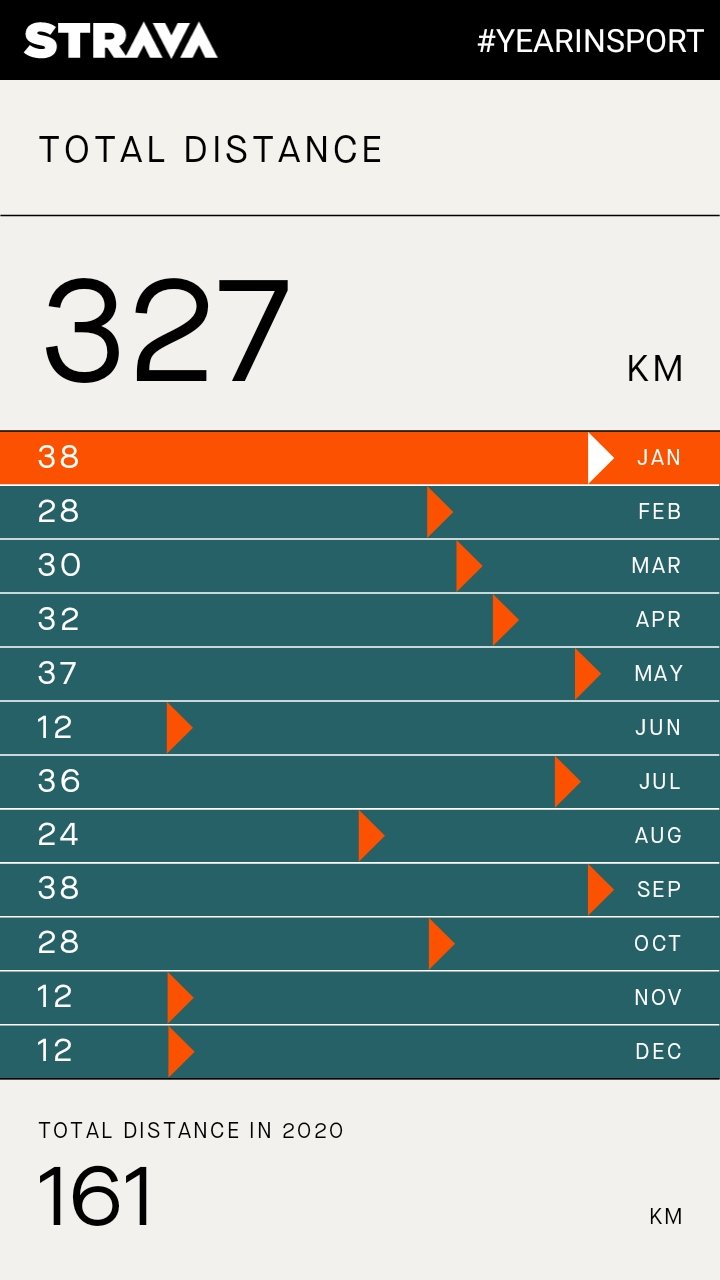
I ran at least once a month this year. My total distance is 327 km, twice as much as last year's 161 km.
Le Français avec Duolingo
I extended my streak on Duolingo to 1655 days. In 4651+ minutes, I earned 18,750+ XP, got 157 more crowns, and "learned" 2256+ words.
Advent of Code, Kotlin Heroes
I tried Advent of Code for the first time. Using Kotlin, I was able to solve the first 15 days. I also learned some new things.
I also joined Kotlin Heroes 6 and Kotlin Heroes 7 this year. In the former, I solved a problem while in the latter, I got 2.
Victoria Trip
We were able to travel outside the city but within the province. It was our first time to visit the BC capital and we were able to visit different places and ate a lot of food. This trip happened when the cases were declining and the vaccination rate has been increasing so the province is starting to reopen.
One of the things announced at the Android Dev Summit 2021 is Google Play Academy’s Store Listing Certificate. The certificate is for app developers and evaluates knowledge of the best practices on creating Google Play Store listings, making them high-quality and policy-compliant, and marketing your app/games to a global audience.
I took the Play Academy training, passed the exam, and got my certificate:
An Android Developer Challenge was announced during the beta release of Jetpack Compose. There are four weekly weekly challenges using Jetpack Compose to build Android apps. I joined the first two weeks and was one of the 500 winners for both challenges.
In the first week, the challenge was to build a puppy adoption app with an overview screen that displays a list of puppies and a detail screens. I made a simple app and got the images and details from BC SPCA. At the bottom of the details screen, I added an Adopt button that opens the link to the dog's details page on BC SPCA. I won a limited edition trophy of the Jetpack Compose superhero made of LEGO bricks.
The challenge for the second week was to create a working single screen countdown timer. My app is a simple one where users can set the hour, minute, and second and display the time remaining. Users can also stop the countdown and will be brought back to the "input" screen. Once the timer runs out, a "Time's up!" text will be displayed too. The prize was a Jetpack Compose poster and a set of Android pencils, and a limited edition Jetpack Compose comic strip poster.
I was able to learn and try Jetpack Compose by participating in the Android Developer Challenge. The prizes were additional bonus for me. I'll continue looking into Jetpack Compose and maybe I can use it in a project soon.
The book I have co-authored, How to Build Android Apps with Kotlin, has finally beeen published last month. I have been writing blogs and tech articles for a while now but this is the first time for me to write a book. We have worked on this for months and it's feels great that it's now out for everyone to read and learn from.
With the book, you can build your knowledge, skills, and confidence by working on realistic examples, practical exercises, and challenging activities. If you want to learn Android app development with Kotlin, you can check out our book which is available on Packt and on Amazon.
I wrote a little more about my experience writing for the book here.
Google launched the Android 11 Beta with pages, videos, and other resources on June 10. They also announced the 11 Weeks of Android. Each week focuses on a specific topic and they will release more content relevant to it. Global developer communities will also host Android 11 Meetups to help developers learn and prepare for the new Android version.
GDG Philippines has invited me to be their speaker for their Android 11 meetup. I've done Android talks and workshops with them before. However, this time it is going be online, which will be the first time for me. I prepared a presentation about Android 11 and other relevant updates for Android developers.
The event was streamed live on YouTube and Facebook. I was a bit nervous because it has been years since the last time I gave a talk but it has been a great experience for me. It feels good to help out GDG Philippines and the Android developer community.
I started working full-time as a Java developer after graduating in 2009. It was around that time that I got to learn about Google developer technologies, especially Android. There weren't much Android phones yet but I had believed Android will be the future. A few months later (already 2010), I started loooking into the developer documentation and studying about developing Android apps.
In 2011, I bought my first Android phone: a Nexus S and subscribed to a Globe postpaid plan. Nexus devices then do not have a SIM tookit and Globe does not have an app for it. I decided to build a simple SIM utility app for personal use. Later, I added support for the other mobile networks and published it on Google Play as PHostpaid, a utility app for postpaid mobile phone services in the Philippines (Globe, Smart, Sun Cellular).
My second app was an Android app for GTUG Philippines (now GDG Philippines), which I am one of the community managers. Users can get the latest blog posts and messages in the mailing list. It was the first app I had published on the Android Market (now Google Play Store). I created a developer account on September 3, 2011 using an ATM debit card as I don't have a credit card to pay for the developer registration fee. Thirteen days after, I published the app. It was one of the first GTUG (now GDG) apps back then.
After these two apps, I started developing more apps and publishing them on Google Play Store.
onFocusChange
I decided in 2012 to move to a different company to focus on mobile app development. I have been doing Android on the side but it will be better if I will have firsthand experience on it. Working as an Android Developer will give me knowledge and skills from work and co-workers. I continued working on my personal projects and even looked for Android part-time projects and consulting jobs.
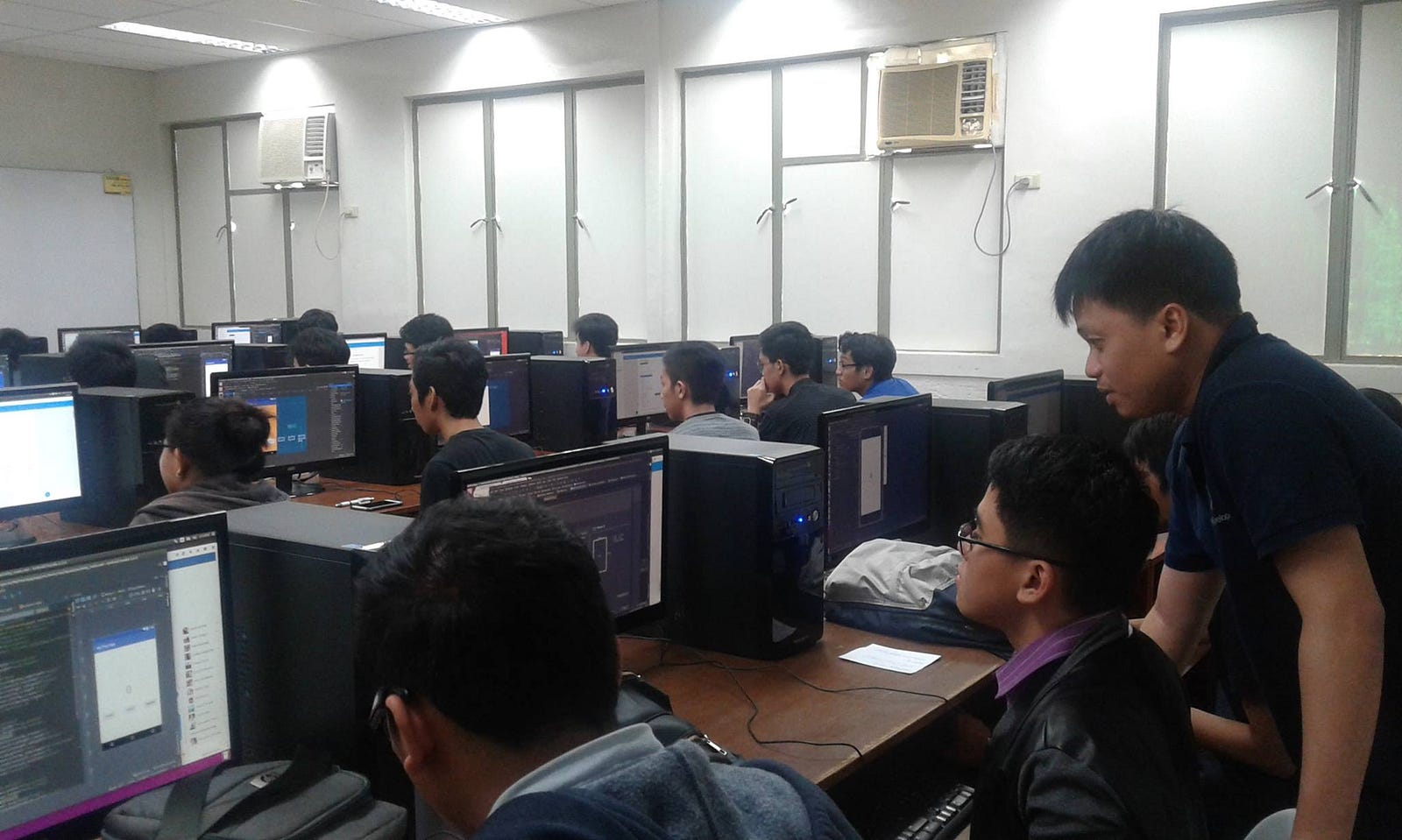
Starting 2012, I did talks and conducted workshops about Android app development, most of which are with Google Developer Groups. These talks/workshops are usually in schools and other events. I have been invited to judge Android development competitions and conduct some Android trainings for companies. With these talks, trainings, and workshops, I got to share my knowledge to others and inspired them to be Android developers like me. It made me learn more too. You can check out the list of my talks and workshops at http://talks.tigcal.com.
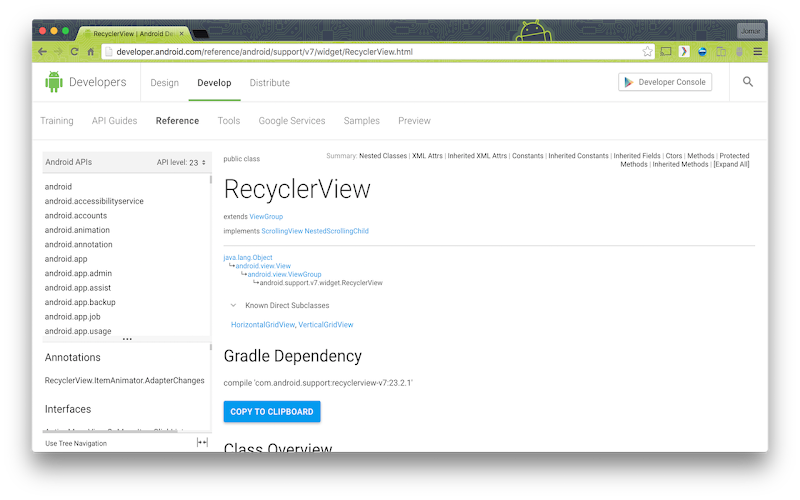
I have also developed a Google Chrome Extension, Android Gradle Extension, that adds Gradle dependency to use for Android API class reference pages at developer.android.com. Users can then copy the Gradle dependency text and use it in their codes. There is also a button to copy the text to the clipboard automatically.
My Android Gradle Extension at work
Continuous Learning
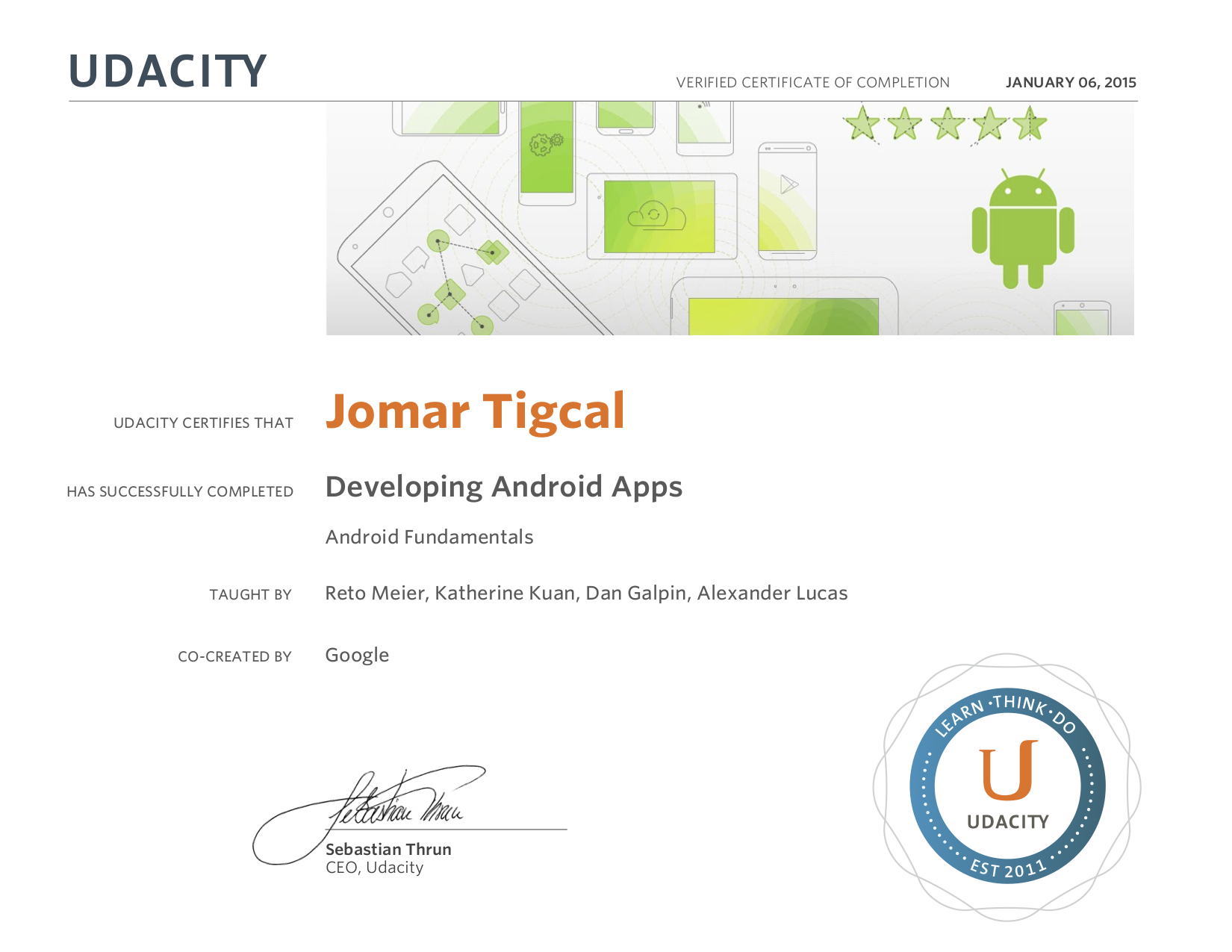
As Android is always evolving, I'm also keeping myself up-to-date with the latest Android developer news. I read Android developer blog posts and articles and watch relevant videos. I also enroll in different Android online courses. During the Google Developers Study Jams in 2015, I finished Udacity's Developing Android Apps (Android Fundamentals) Course as one of the facilitators for the GDG Philippines Android Fundamentals Study Jams. This year, I'm also planning to take the Associate Android Developer Exam and earn the certification.
Udacity Certificate of Completion
Looking back at my decision before, I am happy I decided to be an Android developer. I have been able to develop apps that I need or that others can use. It feels great that Android users are downloading my apps and using them. And reading reviews and messages from users that my apps have helped or are helping them gives me inspiration to improve my existing apps and develop more.
By the way, if you are in need of an Android developer or consultant to help you develop your app, you can send me a message.
Last year, I started working on an Android App for Celine. I was only able to finish it this year though. The app is named You and Me and it is the app for you and your special someone. You can use the app to check your photos (and soon more!) with your significant other.
I published it under Closed Alpha Testing on Google Play Store because there's still more to be done for it to be useful to other couples. I'll continue working on it and release it soon.
Earlier this year, my mother switched to a smartphone. The transition to getting used to a smartphone took a while. She was having issues opening the Quick Settings to access the Flashlight and checking Battery status. As an Android developer, I decided to create simple apps to solve these problems. I have also planned to develop an app for the electric bill-splitting which they normally do manually.
The result of this initiative is what I call Tigcal Utilities. Instead of making three apps, I made an app that has three functions. This includes the following utility apps: Battery, Bill Calculator, and Flashlight.
The Battery app opens the Battery Usage Settings while Flashlight app allows the user to turn on and off the flashlight. Flashlight uses Camera2.
Bill Calculator is an app that allows users to split the electric bill based on total kWH used.
I decided to publish it on Google Play Store so any future update will automatically be downloaded to the phone (if it has internet connection). As it is a special app, I published it on closed Alpha Testing. If you want to try Tigcal Utilities (and provide feedback), let me know so I can add you as a tester.
Google I/O is Google's annual developer conference, where they share the latest products and technologies. Google I/O 2017 was held in Shoreline Amphitheatre, Mountain View, California on May 17-19. GDG Philippines brought the I/O experience to different cities with Google I/O 2017 Extended Roadshow, a series of talks and workshops to help professional and student developers deep dive in the new technologies announced. We visited Rizal, Manila, Laguna, Palawan, and Naga this year.
Rizal
The first leg, Google I/O 2017 Extended Rizal, was held in University of Rizal System - Morong Campus on June 24. I talked about the latest updates from Google I/O 2017 in the morning plenary and conducted a basic android workshop in the afternoon.
Manila
Google I/O 2017 Extended Manila was held on July 1 at University of Sto. Tomas. I had a talk/workshop about Android Instant Apps in the afternoon breakout session.
Laguna
We were back in UP Los Baños for Google I/O 2017 Extended Laguna (July 15). I conducted a basic android workshop in the afternoon.
Palawan
Google I/O 2017 Extended Palawan was held on July 28 at Palawan State University. I had another Android workshop in the afternoon breakout session.
Naga
The last leg, Google I/O 2017 Extended Naga, was held at Ateneo De Naga University on August 12. I talked about the latest updates about Android Development from Google I/O 2017 in the morning plenary and conducted a basic android workshop in the afternoon.
Google I/O 2017 was held in Shoreline Amphitheatre, Mountain View, California on May 17-19. There were a lot of announcements and new stuff from the event. Here are some of the new things relevant for Android developers:
Android Go
Android Go is Android (starting with the O release) optimized to run smoothly on entry-level devices. Google will also design their apps to use less memory, storage space, and mobile data (like YouTube Go).
Project Treble
Also starting with the O release, Project Treble is a new Android framework designed to help reduce the time and effort it takes device makers to upgrade a phone to a new version of Android.
Android O Developer Preview
The next version of Android, Android O, has beta-quality developer preview now. Android O includes changes like Notification channels and dots, Picture-in-picture, Smart text selection, Autofill, Adaptive icons, XML font resource, Downloadable fonts and emojis, Autosizing textviews, and more.
Developers can try the preview, the updated SDK, system images, and tools from developer.android.com/preview. They can also enroll their devices to Android Beta to get pre-release versions and automatically receive OTA updates.
Architecture Components is a set of Android libraries that help you structure your app in a way that is robust, testable, and maintainable. They also released a Guide to App Architecture, which you can use even if you won't be using Android Architecture Components .
Android Studio 3.0 Canary
Android Studio 3.0 is now available in the Canary Channel It includes Kotlin support, Java 8 language features, Layout editor, Adaptive icon wizard, XML fonts and downloadable fonts, Android Things Support, IntelliJ Platform Update, Instant Apps Support, Build Speeds Improvement, Google Maven Repository, Google Play System Image, Emulator openGL ES3.0 Support, Emulator App Bug Reporter, Emulator Proxy Support, Emulator Android Wear Rotary Controls, APK Debugging, Layout Inspector, Device File Explorer, Android Profiler, CPU Profiler, Memory Profiler, Network Profiler, and APK Analyzer Improvements.
Instant Apps
Instant Apps allow users to run Android apps without installations from search, social media, messaging or other deep links. Android Instant Apps is now open to all developers. You can learn more about Instant Apps at http://g.co/instantapps .
Google Play Console
Google announced several powerful, new features and reports in the Play Console to help developers improve their app's performance, manage releases with confidence, reach a global audience, and grow their business. These includes Statistics, Android Vitals, Release dashboard, Device catalog, App Signing, Pre-launch report, Retained installer data, Subscriptions dashboard, and Reviews analysis.
GDG Philippines, in cooperation with Palaweño ICT Association (PICTA) organized Android Study Jams on April 11-12. The event has been a part of the Puerto Princesa Technology Month and was held in partner school Western Philippines University-Puerto Princesa Campus.
Ralph and I went to Puerto Princesa for the two-day Study Jams. More than 24 participants attended the sessions. At the end of the second day, 5 groups presented the apps they have built.
Sweldong Pinoy is now five! We have been developing a new app called Budget Pinoy. I'm reposting below the announcement blog post which was originally published in the Sweldong Pinoy Blog.
Need help in budgetting your salary? Want to find out what your asking rate is depending on your projected expenses and budget? We have developed an app that can help you!
Budget Pinoy is a tool for Filipinos in computing gross and net pay based on user's budget.
Users can input their target savings and projected expenses in the Budget Tab. They can also use the expenses tab to check expenses.
The recommendation tab will show the asking rate that the user needs to be able to earn enough for the target budget. It will also show the net pay and deductions, computed using Sweldong Pinoy, based on the asking rate.
We're also working with different financial institutions to give you relevant tips to help you in your finances, based on your budget. This will be coming soon in a future update.