August 7, 2015

Android Masters Android App Development Challenge

During the Google I/O 2015 Extended Roadshow, GDG Philippines has launched Android Masters, a National Inter-School Android App Development Challenge.


Android Masters is a collegiate inter-school Android app development challenge. It is open to all universities and colleges across the Philippines. The main objective of the program is to encourage students to develop their creative app ideas and publish it to Google Play Store.

If you are interested to join Android Masters, check the details at the Android Masters website (http://androidmasters.gdgph.org/) and add GDG Philippines in your Google+ circles.


August 6, 2015

Publishing Android Apps on Google Play

So you've made a cool Android app or game. However, it is only available in your phones and emulators. You should publish it on Google Play, the official Android store, so it can be available for download to Android users in more than 190 countries.


Image Source: Wikipedia

Google Play Developer Account

To start publishing your apps on Google Play, you need to register for a Google Play developer account at https://play.google.com/apps/publish. You need to login with your Google account first. Read and accept the Developer Distribution Agreement.

A one-time fee of $25 using a Google payments account is required. If you do not have a Google payments account yet, you will be prompted to set up one. You would need a credit card or a debit card for this. In the Philippines, you can use GCash MasterCard or SMART Money MasterCard if you do not have a credit nor debit card. After payment, you need to update your account details. You can now start publishing your apps.

Google Payments Merchant Account

If you want to sell apps, in-app products or subscriptions, you need a Google Payments Merchant Account. This is not available in all countries. You can check the list of merchant countries here.

From the side navigation in the Google Play Developer Console, click the Reports icon . Click Financial Reports and then click Setup a Merchant Account now.

Google Play Developer Console

To publish your apps, you need to go to the Google Play Developer Console. This is where you will upload and manage your Android apps.

To publish a new application, click the Add New Application button. Provide the default language and the name of the application. You can then Upload APK or Prepare Store listing.

In Upload APK, you should upload your Android Package (APK) file signed with your release keystore. In Store Listing, you should provide the title, description, icon, screenshots, videos, category, and privacy policy of the application, along with your contact information and other details. In the Pricing and Distribution section, you can set if the app is free or paid (and the cost), the countries where it can be available, and other distribution options. A new section is Content Rating. You will need to answer a set of questions related to the app. It will then give your app a content rating.

After you have finished the above steps, you can click the Publish app button to publish your app. It will take a while before your app can be available on Google Play.

It is easy to publish your Android apps on Google Play. However, before publishing your apps, you should test your apps for crashes and bugs, make sure your app follows the Core App Quality guidelines. You can find pre-launch essential tasks here.


August 2, 2015

Google I/O 2015 Extended Roadshow

Google I/O is Google's annual developer conference, where they share the latest products and technologies. This year, GDG Philippines brought the Google I/O experience to Manila and different provinces. The Google I/O 2015 Extended Roadshow is a series of workshops and talks centered around the technologies announced during Google I/O 2015. It was held in Pampanga (July 4), Manila (July 11), Batangas (July 18), Albay (July 25), Camarines Sur (July 26), and Cavite (August 1).


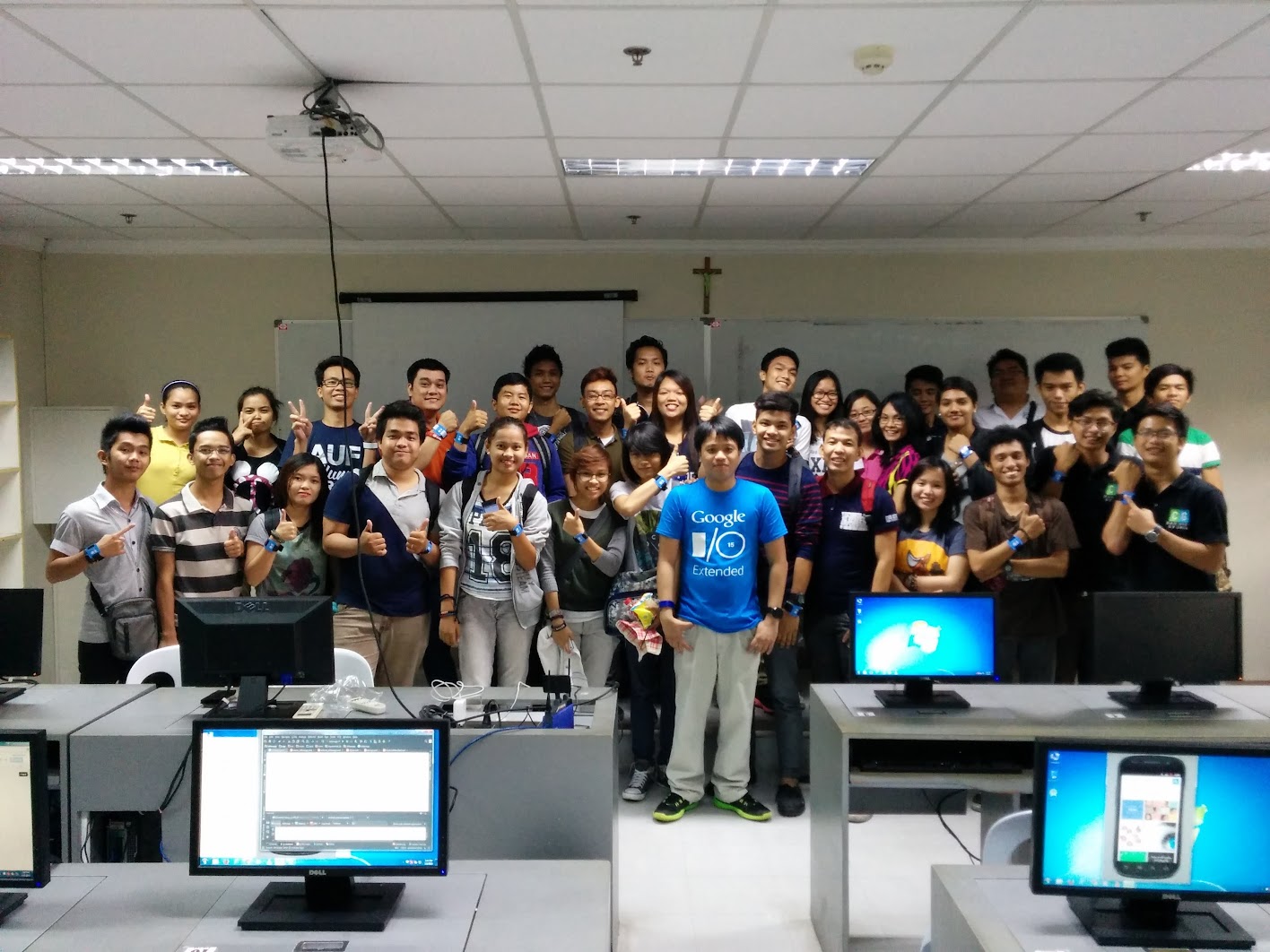
In each Extended events, we had talks in the morning and hands-on workshops in the afternoon. Morning plenary talks include the keynote, Google Cardboard and Google Translate Community. Workshops include Design Thinking and Rapid Prototyping, Web, and Android. In all six legs, I talked about the basics of Android apps development and facilitated hands-on sessions.

Pampanga


Creating Android Virtual Devices (Emulators)


Participants in the Android workshop in I/O Extended Pampanga

Manila


Encouraging participants in the Manila leg Android workshop to join Android Masters

Batangas


Participants in the Android workshop in I/O Extended Batangas

Albay


Participants in the Android workshop in I/O Extended Albay

Camarines Sur


Participants in the Android workshop in I/O Extended Camarines Sur

Cavite


Using white board and marker in the discussion


Participants in the Android workshop in I/O Extended Cavite